
Paste the link. It downloads, resumes and sorts.
A free download manager for Windows, Linux and Android. Multiple connections per file, picks up where it stopped if your connection drops, and saves every file in the right folder.
What it is
A program that downloads for you, the right way.
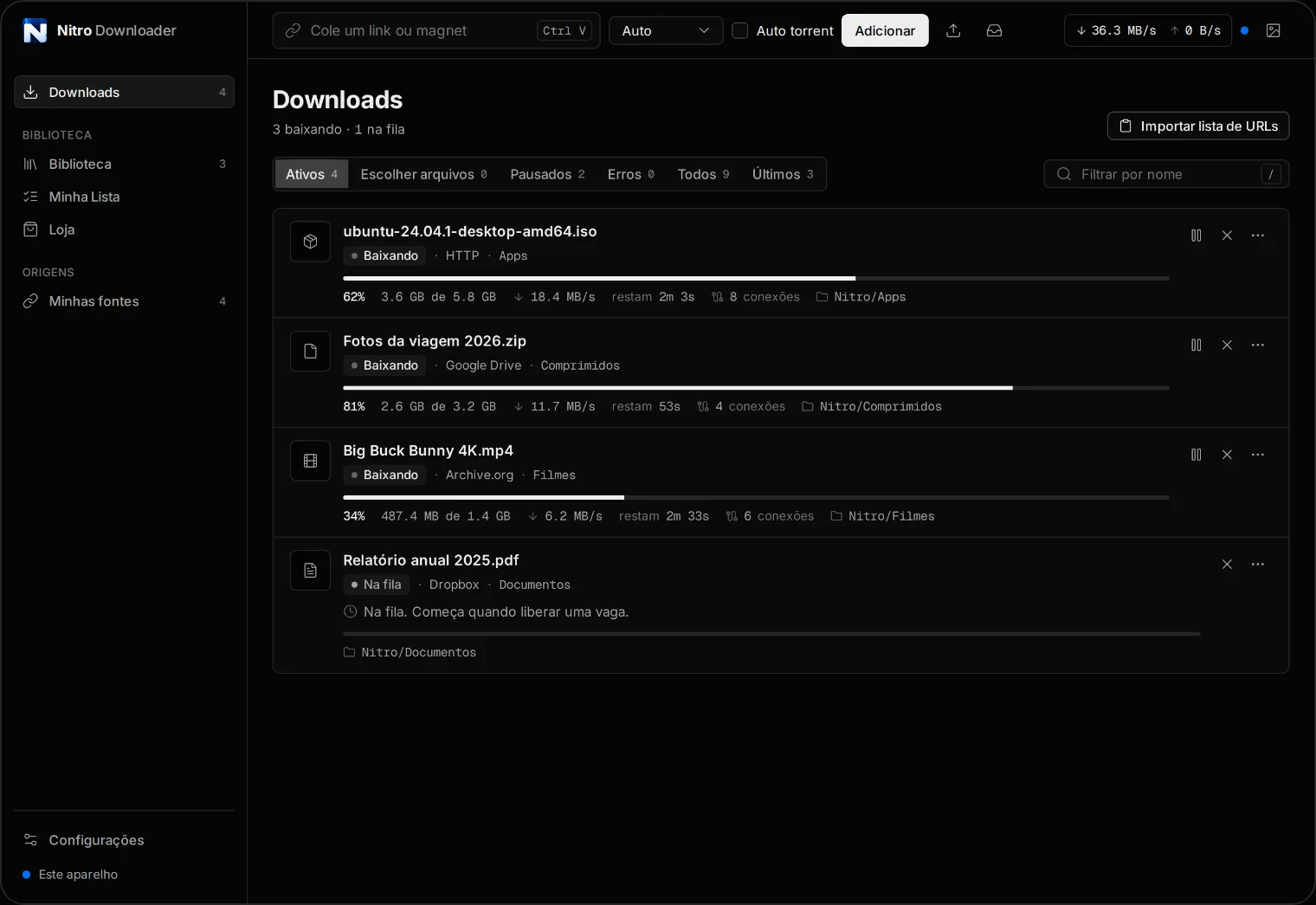
Nitro Downloader is a download manager. You paste a link, it works out where the file really is, downloads it over several connections at once and saves it in the right folder: videos with videos, documents with documents.
It was built for big files. Backups, high resolution videos, system images, a whole Google Drive folder. That is where browsers tend to freeze, lose progress or start over. Nitro Downloader keeps track of every download and continues from where it stopped, even after you close the program or turn off your phone screen.
It ships with no content and does not point you to any. You download what you have the right to download, from links you choose yourself.
The app interface is in Brazilian Portuguese for now. English and Spanish are on the way. It is simple to use anyway: paste a link and press the button.
Features
Everything a big download needs.
Understands the link
Direct links and links from Google Drive, Dropbox, OneDrive, MediaFire and Pixeldrain. It finds the real file address for you.
Multiple connections per file
Splits the file into parts and downloads them together to use the full speed of your connection.
Pause and resume
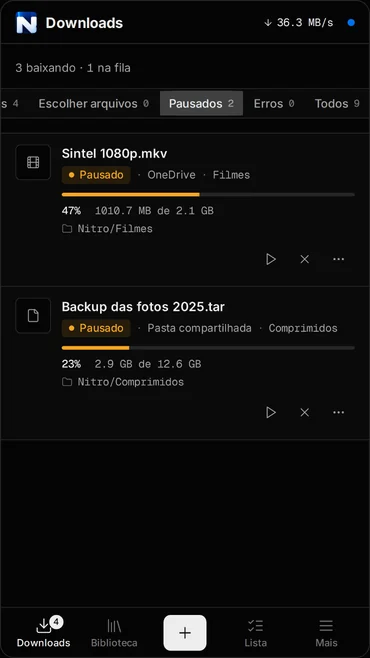
Connection dropped, program closed, PC restarted. It continues from where it stopped.
Whole Google Drive folders
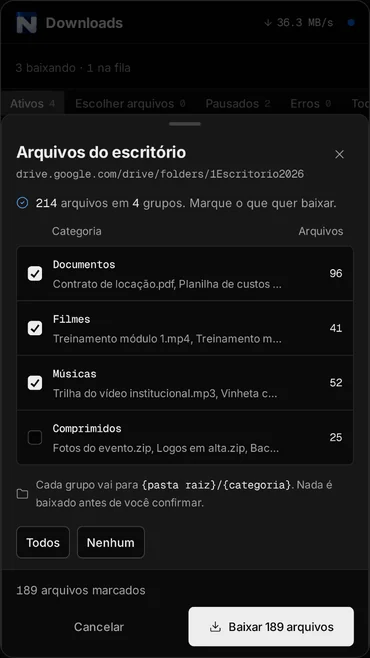
Shows what is inside the folder, grouped by type, and you tick what you want.
Every file in its folder
Movies, music, documents, archives and apps go to separate folders. It can also tidy up your Downloads folder.
Home network
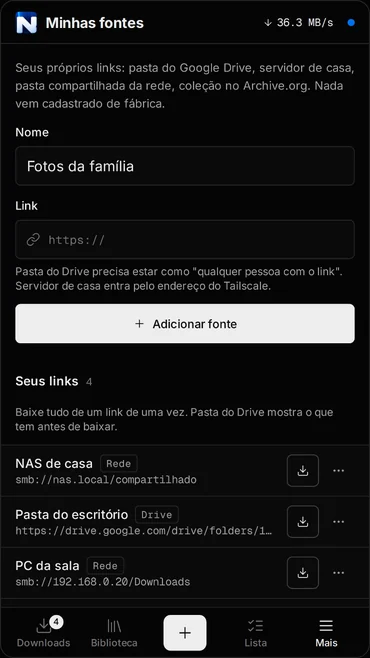
Downloads from the shared folder of your computer or NAS, with the same resume support as internet downloads.
Organized queue
Several downloads at once while the rest wait their turn. See speed, time left and connections for each one.
Phone and computer together
On Android it keeps downloading with the screen off and takes links from the Share button. In Server mode, the phone sends and the computer downloads.
On your phone
The same program, in your pocket.
The Android app has everything the desktop version has, and keeps downloading with the screen off, with progress in the notification bar.
Download
Get it for your device.
Version 1.0.2. Free, no sign-up and no download limit.
Windows For this device
Windows 10 and 11, 64-bit.
Linux For this device
64-bit. Needs WebKitGTK 4.1, included in Ubuntu 22.04 or newer, Debian 12, Fedora 38 and their derivatives.
Android For this device
Android 7 or newer. Coming to Google Play soon.
macOS For this device
The Mac version is on its way.
Coming soon
Check SHA-256 · v1.0.2
The installers are not yet signed with a paid certificate. On Windows, if the blue SmartScreen warning shows up, click More info and then Run anyway. On Android, allow installing apps from this source when your phone asks.
In the stores
 Coming soon
 Coming soon
 Coming soon
 Coming soon
 Coming soon
Free
Free, and the plan is to keep it that way.
Nitro Downloader has no paid version, no sign-up and no locked features. The bills are paid by the ads on this website and by donations from the people who use it.
That money covers the domain, testing on real devices and the time to fix problems and ship new versions, like the Mac one. If the program has already saved you some time, a donation of any amount helps keep all of this going.
For companies
Your company can help keep Nitro Downloader free.
The program is built by a small team and costs nothing to the people who use it. If your company believes in useful free software, there are three ways to help.
Credits and infrastructure
Cloud, a CDN for the installers, a code signing certificate for Windows and Mac, devices for testing.
Sponsorship
A monthly or per release amount. It pays for development time and brings new versions sooner, like the Mac one.
Partnership
Distribution in a store or software bundle, or an integration with your file storage or hosting service.
Questions
Frequently asked questions
Is Nitro Downloader really free?
Yes. Every feature is unlocked, with no paid version, no sign-up and no download limit. The website is kept running by ads and by donations from people who want to help.
Do I need an account?
No. Install it and use it. Your download list and settings stay on your device. Details in the privacy policy.
Where can it download from?
Direct links and links from Google Drive, Dropbox, OneDrive, MediaFire and Pixeldrain, plus the shared folder of your computer or NAS on your home network. For Drive, the folder or file must be shared with "anyone with the link".
Is it safe to install?
The files come straight from the project's releases page on GitHub. Next to the downloads there is the SHA-256 code of each file, so you can check it arrived intact. The Windows warning shows up because the installer does not have a paid signing certificate yet, not because something is wrong.
What language is the app in?
Brazilian Portuguese for now. English and Spanish are on the way.
Is there an iPhone or Mac version?
Not yet. The Mac version is being prepared. There is no date for iPhone and iPad.
Why did my download start over?
Some websites do not allow continuing a half finished download, or give out links that only work for a short time. In those cases there is no way to resume and the file has to be downloaded again. The guide resume a stopped download explains when it works and when it does not.
How do I uninstall it?
On Windows, delete the program file. On Linux, remove the nitro-downloader package or delete the extracted folder. On Android, uninstall it like any other app. The files you downloaded stay where they were saved.
Guides